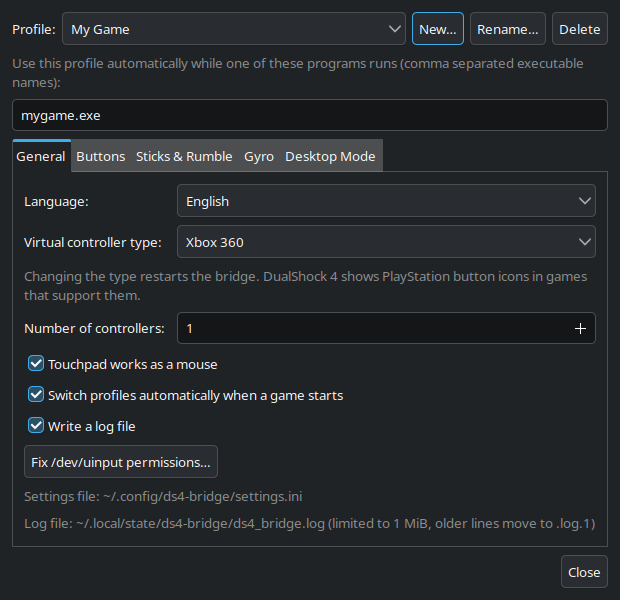
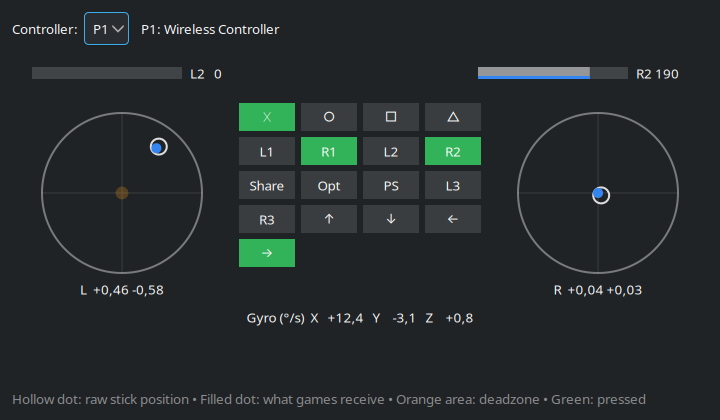
Controller test window with deadzone and live stick positions
Stick drift

Fix drift in seconds.

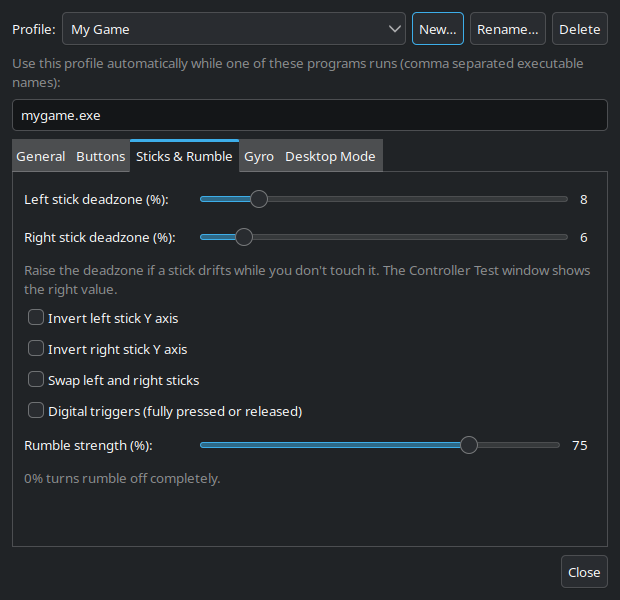
Cheap sticks wander. The Controller Test window shows exactly how much, and a round deadzone per stick removes it without making the stick feel dead.

  • Round, rescaled deadzone per stick
  • Live view of raw input and game output
  • Rumble from off to full
Try it now
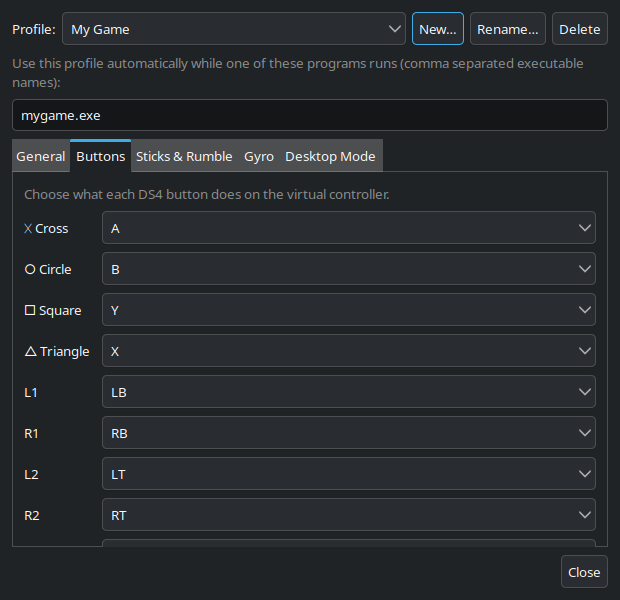
Button remapping settings
Remapping & profiles

Every button, your way.

Map any button to any Xbox button, or switch it off. Save a layout as a profile and DS4 Bridge picks it automatically when that game starts.

  • Share, Options, PS, L3/R3 and D-pad included
  • Profiles switch with the running game
  • Xbox 360, Xbox One S or DualShock 4 output
Get started
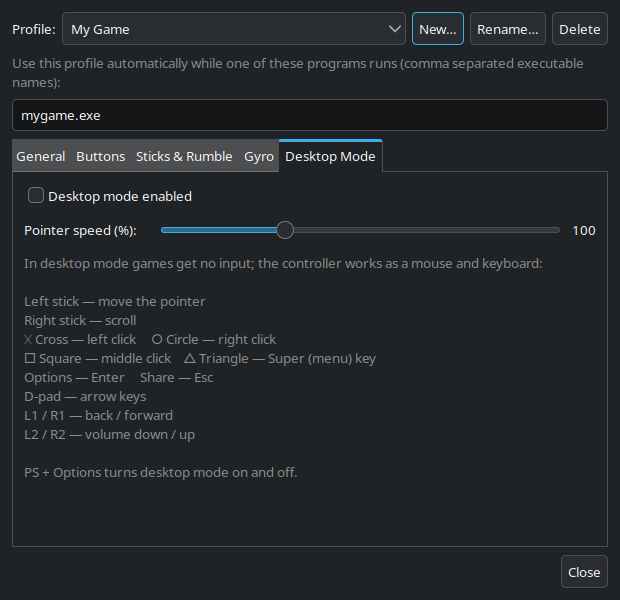
Desktop mode settings with the control layout
Desktop mode

The couch is your desk.

Press PS + Options and the controller becomes a mouse and keyboard. Browse, pick a game, adjust the volume, then press it again to play.

  • Smooth pointer and scrolling
  • Clicks, Enter, Esc, arrows and volume
  • Games get no input while it's on
Download

Also included
Up to 4 controllersBattery & charging statusAuto reconnect Start on loginGuided permission fixEnglish & Azərbaycanca Works offline, no trackingFree & open source (MIT)
Get started

Ready in a minute.

One file. No installer, no drivers, nothing to compile. Download, make it executable, play.

Download AppImage

Prefer the file manager? Right-click → Properties → Permissions → "Allow executing file as program". Also as a plain executable or from source.

# 1. Download
$ wget https://github.com/engineer948/ds4-bridge-linux/releases/download/1.0/DS4_Bridge-1.0-x86_64.AppImage

# 2. Make it executable
$ chmod +x DS4_Bridge-1.0-x86_64.AppImage

# 3. Start it and plug in your controller
$ ./DS4_Bridge-1.0-x86_64.AppImage --start
Compatibility

Runs on your distro.

Needs glibc 2.34+ and Linux 4.5+. On older systems, build from source.

DistributionSupportedNot supported
Ubuntu22.04, 24.04 and newer20.04 and older
Debian12, 1311 and older
Linux Mint21, 2220 and older
Pop!_OS · Zorin OS · elementary OSUbuntu 22.04-based and newerOlder releases
Fedora35 and newer34 and older
RHEL · AlmaLinux · Rocky Linux98
Arch · Manjaro · EndeavourOS · openSUSE TumbleweedRolling releases–

GNOME users: install the "AppIndicator and KStatusNotifierItem Support" extension to see the tray icon.

engineer948
Meet the developer

Designed & built by engineer948.

DS4 Bridge is an independent project, designed, developed and maintained by engineer948, to make budget controllers work on Linux without any hassle. Feedback, bug reports and ideas are always welcome.

FAQ

Questions? Answers.

Is DS4 Bridge free?

Yes. It is free and open source under the MIT License: you can use, modify and share it, as long as the copyright notice stays.

My game sees two controllers.

DS4 Bridge takes over the physical controller so games only see the virtual one. If another program opened the controller first, stop and start the bridge from the tray menu.

It says it can't open /dev/uinput.

The app shows the exact command to fix it, with a Copy button. Paste it into a terminal once, then log out and back in. You can open it again from "How to Fix /dev/uinput Access…" in the tray menu.

My stick moves on its own.

Open Controller Test from the tray menu and watch the hollow dot without touching the stick. Raise that stick's deadzone until the filled dot stays centered.

Gyro aiming doesn't work.

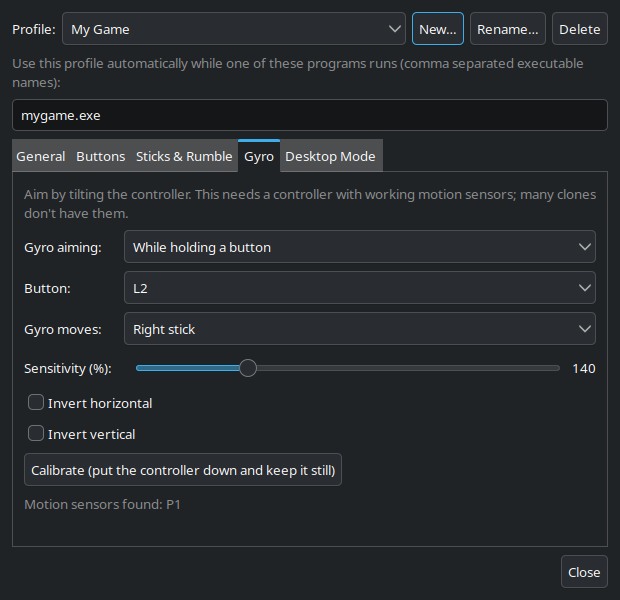
Many clones have no working motion sensors. Settings → Gyro shows whether sensors were found on your controller.

Does it collect any data?

No. DS4 Bridge works completely offline and does not collect, store or send any personal data.

Is there a Windows or macOS version?

No. DS4 Bridge is built on the Linux input system and is Linux-only.

Is the download safe?

The full source code is public, and the 1.0 AppImage has been scanned on VirusTotal.

Plug in. Play.

DS4 Bridge 1.0 is free for everyone.

Download for Linux